Two photos. One unexpected reunion.

AI Zombie Video Generator

They raise the gun. Then they recognize you. Turn two photos into a cinematic zombie reunion: a moment of fear, a choice not to shoot, and a warm memory of life before. Make it with two people, or you and your pet.

  • 2 photos · person or pet
  • 15-second story
  • 720p · vertical or widescreen
Who becomes the zombie?
JPEG, PNG or WebP · up to 20 MB each · at least 300 px on each side0/2 photos

Use photos you are authorized to upload. Any people must be consenting adults. Do not use public figures or film and music-video stills.

AI Zombie Video Generator2 photos · 15 s
Choose your story world

Length & quality

15 seconds · 720p

Video format

15s · 720p · 9:16 MP4

Seedance 2 Fast · your subject, world and format choices are saved with this job. The illustrated preview is not a rendered result.

100 credits for this video

By generating, you confirm you own or have permission to use the pet photo and any other uploads. Every person shown is 18+ and agrees to AI processing and appearing in this fictional, non-graphic video. Photos are sent to the generation provider for review and processing. How photos are processed

Photo selection is available locally. Generation and payment stay closed until sample, cost, payment, privacy and delivery checks pass.
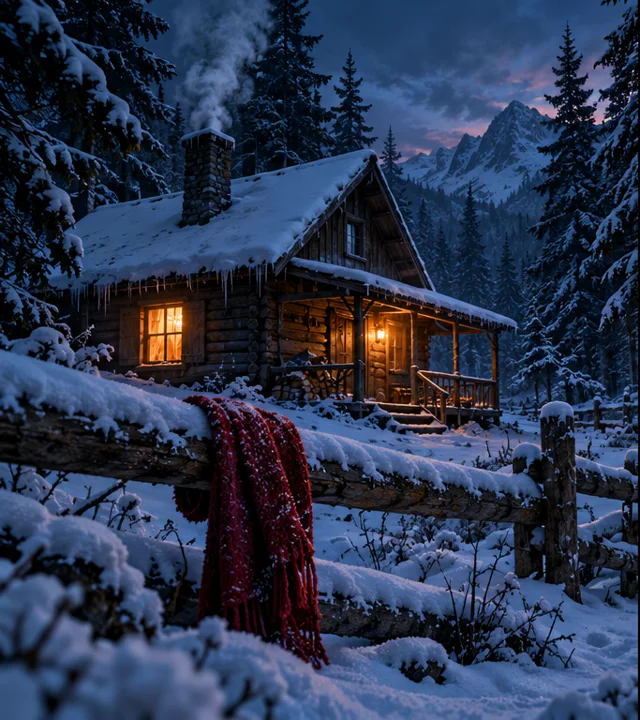
Your story preview

Illustrative storyboard · not a generated result
Snowed-In Cabin

Recognition changes the ending

The selected world sets the atmosphere and memory. Your two uploaded photos provide the characters; this illustration is only a guide to the intended story.

  1. 01The standoff
  2. 02A familiar sign
  3. 03The choice
  4. 04Back together
  5. 05Life before

Fear → recognition → reunion

A five-beat story, not just a zombie filter

This AI Zombie Video Generator builds an emotional sequence around your characters. The weapon creates a brief standoff, but the turning point is the decision not to shoot. These are the intended beats, not a promise of exact frame-by-frame choreography.

  1. 01

    The standoff

    The survivor raises a gun toward the approaching zombie. A tense pause sets up the choice. No shot is fired.

  2. 02

    A familiar sign

    A face, scarf, ring or keepsake brings recognition. The survivor sees someone they know, not an anonymous threat.

  3. 03

    The choice

    The gun lowers and the survivor opens their arms. Fear gives way to trust without an attack, bite or injury.

  4. 04

    Back together

    The person moves into an embrace, or the pet bounds into a welcome. Affection, rather than violence, resolves the moment.

  5. 05

    Life before

    A warm memory shows the same pair healthy and together. The selected world supplies the setting for this final contrast.

Get the roles right before you upload

Start with ordinary, well-lit photos rather than pre-made zombie edits. A clear face gives the model a better reference, though likeness can still vary. Photo order matters: swapping the two uploads changes who turns and who remembers.

Photo / settingUse thisAvoid this
Photo 1 · ZombieOne adult portrait in Person mode, or one pet in Pet mode. Keep the face unobstructed and use a straightforward angle.Group photos, heavy masks, obscured eyes or multiple animals. Do not upload a pet while Person mode is selected.
Photo 2 · SurvivorOne adult with a clear face. This character remains uninfected and makes the decision to lower the weapon.Children, animal photos or images where the subject is too distant. Both people must agree to appear.
Both image filesJPEG, PNG or WebP; up to 20 MB each and at least 300 pixels on each side. Re-export unsupported images in a supported format.Renaming a file extension instead of converting it, tiny screenshots, explicit content, celebrity stills or photos used without permission.
Read how uploaded photos are handled

How to make your AI zombie video

There is no prompt to write. This tool uses a dedicated story preset instead of asking you to assemble a script. Check your inputs first: changing an option after generation does not rewrite an existing job.

  1. 01

    Pick the pair

    Choose Person or Pet, then upload the zombie subject first and the adult survivor second. Review both previews and replace a photo if its role is wrong.

  2. 02

    Set the scene

    Choose the snow cabin, rainy city or ruined chapel. Select vertical for a phone-first story or widescreen for a landscape composition.

  3. 03

    Confirm and generate

    Sign in, confirm permission and check the credit cost shown in the generator. Uploaded images go through provider review before rendering; unsuitable photos may be rejected.

  4. 04

    Review your result

    Follow the job status, then preview and download the completed clip. Check faces, the no-shot moment and the final memory before sharing your fictional story.

Choose a scene that suits your pair

The world is more than a background: each preset pairs a recognition cue with a contrasting memory. You can change the atmosphere without changing the non-violent ending.

Human reunion or pet reunion?

Use Person for partners, friends or adult family members. Use Pet for an animal-and-owner story. The pet remains an animal throughout; the adult survivor is always the second photo. The preset requests a gentle greeting rather than animal suffering or a humanized pet.

Three worlds, three memory cues

Snowed-In Cabin uses a red scarf and a bright snowfield memory. Rain-Soaked City uses a ring and a beach memory. Ruined Chapel uses a keepsake and a garden memory. The cue guides the model; it is not a precise prop editor or a guarantee that a specific personal item will be reproduced.

What AI can still get wrong

The model interprets the sequence rather than editing five locked shots. Faces, paws, hands, clothing and small objects may change between moments. An embrace or leap may look different from the storyboard. Use simple source images, and review the entire video rather than assuming every requested beat survived.

Music and the finished download

The render is silent initially. Your browser adds the template soundtrack when preparing the finished download, so allow that step to complete. Soundtrack preparation is separate from server rendering; a browser-side problem does not necessarily mean the underlying video job failed.

AI Zombie Video Generator FAQ

Give the story a different ending

Choose your two characters, find their world, and make the moment when recognition wins. Check the roles and credit cost before you start.

Create my zombie video